
Microsoft 365 Security Assessment
- Home
- Microsoft 365 Security Assessment
Secure Your Microsoft 365 Environment with Expert Assessment
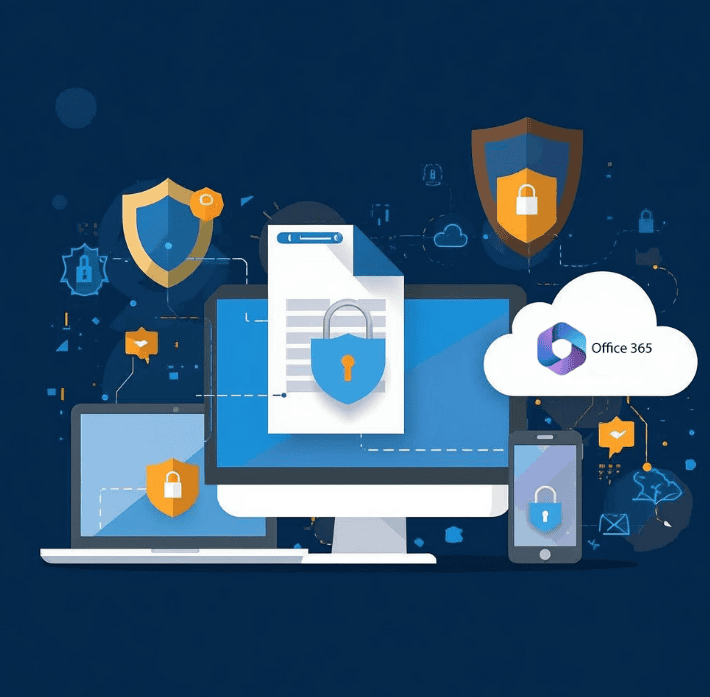
NGCloudSecurity’s Microsoft 365 Security Assessment offers a comprehensive evaluation of your cloud environment to identify vulnerabilities, optimize settings, and ensure alignment with industry best practices. Our experts conduct an in-depth analysis of your configurations, policies, and security controls, delivering actionable recommendations to enhance data and user protection within the Microsoft 365 suite.

Services Provided by NGCloudSecurity for Microsoft 365 Security Assessment
Microsoft Entra ID Security Assessment
Our Microsoft Entra ID Security Assessment helps organizations evaluate identity and access management (IAM) configurations. This is essential to strengthening your security strategy under the broader Microsoft 365 Security Assessment. You’ll receive guidance on improving user authentication, role assignments, and preventing unauthorized access.
Security Posture Review
Configuration Review: Evaluate settings of services like Exchange Online, SharePoint Online, and OneDrive.IAM Review: Analyze users, roles, permissions, and multi-factor authentication settings.
Compliance Assessment
Regulatory Compliance Review: As part of your Microsoft 365 Security Assessment, we assess configurations against regulatory frameworks such as GDPR, HIPAA, and PCI-DSS.
Data Protection and Privacy Review: Assess compliance with data protection regulations, including data encryption, data loss prevention (DLP) policies, and privacy settings.
Vulnerability Assessment
Security Configuration Scanning: Use automated tools to scan Microsoft 365 configurations for security vulnerabilities and misconfigurations.
Manual Review: Conduct manual reviews to identify nuanced or overlooked risks that automated tools might miss during the Microsoft 365 Security Assessment.
Threat Protection Evaluation
Email Security: Audit anti-malware, phishing filters, and Exchange settings.
Threat Detection: Review response capabilities using Microsoft Defender and Microsoft Sentinel.
Data Protection Assessment
Data Loss Prevention: Evaluate policies for protecting sensitive data.
Information Governance: Review archiving, retention, and eDiscovery.
Incident Response Readiness
Data Encryption Review: Evaluation of data encryption practices for data at rest and in transit.
Data Privacy Review: Assessment of data privacy measures to ensure compliance with data protection regulations and best practices.
User and Admin Training Review
Actionable Recommendations: Provision of actionable recommendations to address identified security vulnerabilities and gaps.
Remediation Planning:
Develop a practical plan to implement security enhancements based on the Microsoft 365 Security Assessment findings.
Recommendations and Remediation Planning
Assessment Report: Creation of a comprehensive report detailing findings, vulnerabilities, risks, and recommendations.
Executive Summary: Provision of an executive summary highlighting key findings and strategic recommendations for senior management.
Benefits of Microsoft 365 Security Assessment
Comprehensive Vulnerability Identification
Discover and address configuration issues and security risks across your Microsoft 365 environment through a detailed Microsoft 365 Security Assessment.
Optimized Configurations
Ensure your cloud infrastructure adheres to relevant regulations and compliance standards.
Regulatory Compliance
Strengthen your security measures with expert recommendations and best practices.
Enhanced Data Protection
Reduce the likelihood of security incidents and data breaches with a thorough assessment and remediation strategy.
Improved User Security
Stay resilient against evolving cyber threats with a proactive Microsoft 365 Security Assessment that helps you adapt and respond effectively.
Frequently Asked Questions
What is a Microsoft 365 Security Assessment?
A Microsoft 365 Security Assessment is a structured review of your configurations, policies, and security controls to identify vulnerabilities, optimize settings, and align with industry best practices.
Why does my organization need a Microsoft 365 Security Assessment?
It helps protect sensitive data, strengthen identity and access management, meet compliance standards, and reduce the risk of phishing, malware, and unauthorized access.
What areas are reviewed during the assessment?
We evaluate Microsoft Entra ID (IAM), Exchange Online, SharePoint, OneDrive, security configurations, compliance with GDPR/HIPAA/PCI-DSS, data protection, threat detection, and incident response readiness.
How often should we conduct a Microsoft 365 Security Assessment?
We recommend at least annually, or whenever significant changes occur—such as adding new services, increasing user adoption, or responding to regulatory updates.
Does NGCloudSecurity provide support after the assessment?
Yes. We offer remediation planning, post-assessment reviews, and ongoing advisory to ensure your Microsoft 365 environment remains secure over time.