

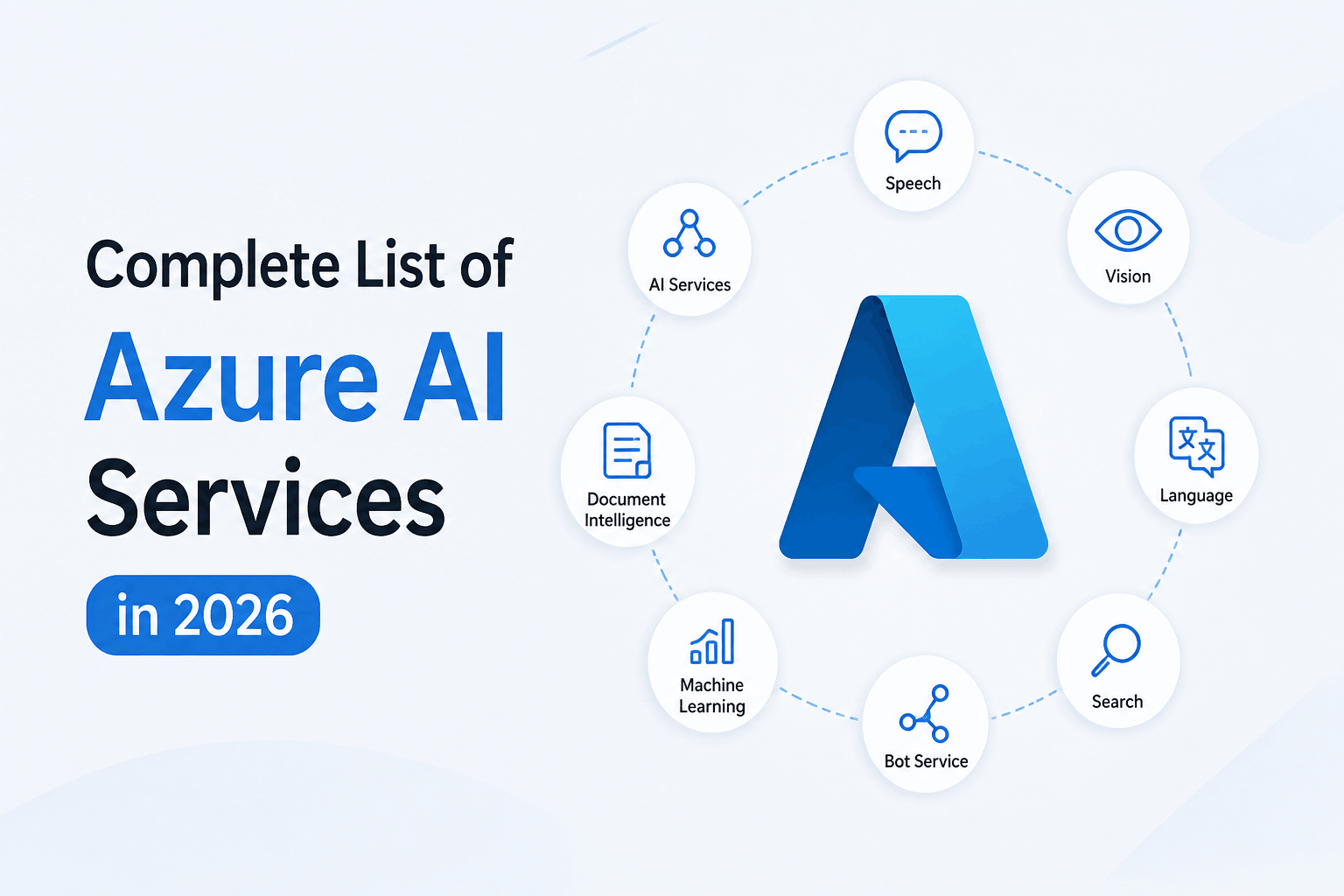
Complete List of Azure AI Services in 2026
If you search for a list of Azure AI services, you will find a problem almost immediately. Many articles still show old Azure AI services that Microsoft has already retired or moved into a different part of its AI ecosystem.
That can make it difficult to answer a simple question:
Which Azure AI services should a business actually consider in 2026?
Microsoft has changed the way it organizes its AI portfolio. What was traditionally known as Azure AI Services is now largely represented through Foundry Tools within Microsoft Foundry. Microsoft currently lists 10 available Foundry Tools covering speech, translation, language, content understanding, document intelligence, vision, search, content safety, custom vision, and accessibility.
However, Azure AI is much broader than those 10 tools.
If you are planning generative AI, enterprise search, AI agents, document automation, computer vision, or an AI security project, you also need to understand Foundry Models, Azure AI Search, Microsoft Foundry Agent Service, and the security and governance capabilities around them.
This guide breaks down the Azure AI services available in 2026, what they do, and more importantly, when your organization should use them.
Azure AI Services List for 2026
Here is the current Foundry Tools list at a glance:
| Azure AI service | What it is mainly used for |
| Azure AI Speech | Speech recognition, transcription, text to speech and voice applications |
| Azure AI Translator | Translation across languages |
| Azure AI Language | Natural language processing and text analysis |
| Azure AI Content Understanding | Understanding documents and other media |
| Azure AI Document Intelligence | Extracting structured information from documents |
| Azure AI Vision | Image and video analysis |
| Azure AI Search | Enterprise search and retrieval augmented generation |
| Azure AI Content Safety | Detecting harmful or unwanted content |
| Azure AI Custom Vision | Custom image classification and object detection |
| Azure AI Immersive Reader | Reading and accessibility experiences |
These are the current Foundry Tools identified by Microsoft.
But if you are evaluating Azure AI for a real business project, simply knowing the names is not enough.
Planning to Use Azure AI for Your Business?
1. Azure AI Speech
Best for: Voice applications, transcription, call centers, meeting transcription, voice assistants and accessibility.
Azure AI Speech allows applications to understand and generate spoken language. It supports speech to text, text to speech, translation and speaker recognition.
Consider a customer support organization handling thousands of calls every month.
Instead of manually reviewing every conversation, speech recognition can convert calls into searchable text. That text can then be analyzed to identify customer complaints, recurring issues and important conversations.
Speech is also useful when you are building a voice assistant where users need to speak naturally rather than type.
Choose Azure AI Speech when voice is a core part of your application.
2. Azure AI Translator
Best for: Multilingual websites, applications, documents and customer communication.
Azure AI Translator provides AI powered translation and supports more than 100 languages and dialects. It can support real time translation as well as document translation.
For businesses operating across different countries, translation can become part of the application itself rather than a separate manual process.
For example, a support platform could receive a customer message in one language, translate it for an employee, and return the response in the customer’s preferred language.
Choose Azure AI Translator when your primary requirement is multilingual communication.
3. Azure AI Language
Best for: Understanding and analyzing text.
Azure AI Language provides natural language processing capabilities that allow applications to extract meaning from written content. Microsoft identifies Language as a Foundry Tool for building applications with natural language understanding capabilities.
Businesses can use it for scenarios such as sentiment analysis, entity recognition, key phrase extraction, language detection, summarization and other text analysis requirements.
Think about customer feedback.
If your business receives 10,000 customer comments every month, manually reading them is not practical. Language capabilities can help categorize the information and identify patterns that deserve attention.
Choose Azure AI Language when your application needs to understand written text rather than simply generate it.
4. Azure AI Content Understanding
Best for: Extracting useful information from complex documents and other media.
This is particularly interesting for organizations dealing with large amounts of unstructured information.
Content Understanding uses generative AI to extract schema defined information from documents and other content. Microsoft also highlights scenarios where it can produce RAG ready output.
For example, a business could have thousands of reports containing information that does not follow exactly the same structure.
Instead of creating a separate workflow for every document type, Content Understanding can help identify the information that matters and convert it into a more usable structure.
Choose Content Understanding when your content is varied, complex or difficult to process with traditional extraction rules.
5. Azure AI Document Intelligence
Best for: Invoices, receipts, forms, applications, contracts and other business documents.
Document Intelligence is designed to turn documents into structured data. Microsoft provides prebuilt models and capabilities for custom document processing.
This solves a very common business problem.
An employee receives an invoice as a PDF. Someone opens the document, reads the supplier name, invoice number, date and amount, and manually enters the information into another system.
Document Intelligence can automate much of this process.
The result is not just faster processing. It can also reduce repetitive data entry and make document workflows easier to scale.
Choose Document Intelligence when your AI project starts with business documents.
6. Azure AI Vision
Best for: Image analysis, video analysis and computer vision applications.
Azure AI Vision allows applications to analyze information contained in images and videos. Microsoft lists Vision as one of the current Foundry Tools.
Common business scenarios include visual inspection, image classification, accessibility applications and intelligent media processing.
For example, a manufacturing organization could use computer vision to identify visual anomalies during an inspection process.
The important question is not simply:
“Can Azure analyze this image?”
Instead ask:
“What business decision do I want to make from the information inside this image?”
That question usually makes it much easier to determine whether Vision is appropriate.
7. Azure AI Search
Best for: Enterprise search, knowledge bases and retrieval augmented generation.
Azure AI Search is particularly important for organizations building AI applications around their own information.
Imagine an employee asks an internal AI assistant:
“What is our process for reporting a security incident?”
A general purpose AI model may know what a security incident is, but it does not automatically know your company’s internal policy.
Azure AI Search can help retrieve relevant information from approved business data so that an AI application can use that information when generating its response.
Microsoft identifies Azure AI Search as an important technology for AI powered search and retrieval scenarios.
This makes it highly relevant to enterprise RAG implementations.
Choose Azure AI Search when your AI application needs to search and retrieve information from your organization’s own data.
8. Azure AI Content Safety
Best for: Detecting harmful content in AI and user facing applications.
As organizations deploy generative AI, security cannot stop at protecting servers and networks.
The application itself needs controls around what users can submit and what AI systems can generate.
Azure AI Content Safety provides capabilities for detecting unwanted content in text and images.
For example, if an organization launches a public facing AI assistant, Content Safety can become part of the controls used to identify potentially harmful content.
This is one reason AI governance should be considered before an AI application reaches production.
For a broader look at this subject, see our guide to AI security governance.
Choose Content Safety when your application needs controls around harmful or unwanted content.
9. Azure AI Custom Vision
Best for: Business specific image classification and object detection.
General purpose computer vision does not always solve specialized business problems.
Suppose a manufacturer needs to identify a specific type of defect on a production line. The organization may need a model that understands its particular products, environment and visual patterns.
Custom Vision allows organizations to customize image recognition for their own requirements. Microsoft continues to list Custom Vision among the Foundry Tools.
Choose Custom Vision when your image recognition requirement is highly specific to your business.
10. Azure AI Immersive Reader
Best for: Reading assistance and accessibility.
Immersive Reader is designed to help users read and comprehend digital content. It can be useful for educational applications, accessibility focused products and applications where users have different reading requirements.
It is a more specialized Azure AI capability, but it can be valuable when accessibility is part of the application’s design rather than an afterthought.
Choose Immersive Reader when improving reading and comprehension is the main requirement.
Azure OpenAI and Foundry Models
If you are searching for Azure AI services because you want to build a generative AI application, the 10 Foundry Tools are only part of the picture.
Microsoft Foundry also provides access to foundation models.
This is where capabilities such as generative text, reasoning, embeddings, code generation and conversational AI become relevant.
Microsoft’s current Azure AI architecture separates targeted AI capabilities such as Language and Speech from models that can be used for broader generative AI workloads.
For example:
Need to summarize a document? A foundation model can handle the generation while Document Intelligence can first extract information from the document.
Need an AI assistant that answers questions from company policies? A foundation model can generate the response while Azure AI Search retrieves relevant company information.
This is an important distinction.
The strongest Azure AI applications often combine multiple services instead of relying on one service alone.
Microsoft Foundry Agent Service
AI applications are also moving beyond traditional chatbots.
Microsoft Foundry Agent Service is a managed platform for building, deploying and scaling AI agents. Agents can use models, instructions and tools to reason about requests and perform multi step actions.
For example, an internal IT agent could receive an employee request, search an approved knowledge base, determine the correct procedure and then use an authorized tool to perform an action.
That is different from a simple chatbot that only produces text.
An agent can connect models, business data and tools to complete a task.
For organizations evaluating this architecture, our Microsoft AI Foundry service provider in India page provides a more business focused starting point.
Azure AI Services by Business Requirement
If you do not want to compare every service individually, start with your business requirement.
| Your requirement | Azure capability to consider |
| Convert voice to text | Azure AI Speech |
| Convert text to natural speech | Azure AI Speech |
| Translate content | Azure AI Translator |
| Analyze customer feedback | Azure AI Language |
| Extract data from invoices | Azure AI Document Intelligence |
| Process complex unstructured content | Azure AI Content Understanding |
| Analyze images | Azure AI Vision |
| Build custom visual recognition | Azure AI Custom Vision |
| Build enterprise search | Azure AI Search |
| Build a RAG application | Azure AI Search + Foundry Models |
| Detect harmful AI or user content | Azure AI Content Safety |
| Build generative AI applications | Foundry Models |
| Build task based AI agents | Microsoft Foundry Agent Service |
| Build accessible reading experiences | Azure AI Immersive Reader |
This is a much more practical way to select an Azure AI service than starting with a long product catalog.
Azure AI Services for Enterprise Security
There is another consideration that businesses often miss.
An AI project does not exist separately from your existing cloud environment.
Once AI applications start accessing company documents, customer information, identities, APIs and internal systems, security becomes part of the AI architecture.
For example, an enterprise AI application may need:
- Identity and access controls
- Data protection
- Network security
- Monitoring
- Governance
- Compliance controls
- Protection against inappropriate AI generated content
- Protection of sensitive information
If you are assessing the security of your Azure environment before introducing AI workloads, our Azure cloud security assessment resource can help you understand the areas that deserve attention.
For organizations with broader data protection requirements, see our data security solutions as well.
How Azure AI Fits Into a Secure Business Environment
A common mistake is to treat AI as a standalone technology project.
In practice, an enterprise AI solution can touch identity, data, applications, cloud infrastructure and users.
That means your AI architecture should be considered alongside your existing security model.
For example, if an AI assistant can access confidential company documents, you need to determine:
Who can access the assistant?
Which documents can it retrieve?
Can the model expose sensitive information?
How are users authenticated?
How are prompts and responses monitored?
What happens when an employee leaves the organization?
These questions become especially important when AI is connected to business systems.
If your organization is developing an AI governance strategy, you can also review our AI governance and compliance services in India.
What Happened to Older Azure AI Services?
This is one section you should not skip if you are researching Azure AI in 2026.
Older articles can still appear in Google with services that Microsoft has retired or scheduled for retirement.
Microsoft’s current Foundry Tools documentation identifies services including Anomaly Detector, Content Moderator, Language Understanding, Metrics Advisor, Personalizer and QnA Maker as retired or scheduled for retirement. Microsoft advises against using these services for new AI applications.
This matters because an article published several years ago may call itself a “complete Azure AI services list” while containing technologies that are no longer appropriate for a new implementation.
So when evaluating an Azure AI service, always check the current Microsoft documentation rather than relying only on an older service list.
Which Azure AI Service Should You Choose?
Here is the simplest way to approach the decision.
- If your problem involves voice, start with Speech.
- If it involves language, start with Language or Translator.
- If it involves documents, evaluate Document Intelligence.
- If it involves complex unstructured content, look at Content Understanding.
- If it involves images or videos, evaluate Vision.
- If it involves your organization’s internal knowledge, look at Azure AI Search.
- If it involves generative AI, evaluate Foundry Models.
- If it involves AI that needs to perform tasks, evaluate Foundry Agent Service.
- If it involves AI application safety, evaluate Content Safety.
But do not stop at the service selection.
For a production business application, you also need to evaluate security, identity, data governance, compliance, cost and operational requirements.
Final Thoughts
The list of Azure AI services in 2026 is no longer just a list of individual APIs.
Microsoft’s AI ecosystem is increasingly built around several layers.
Foundry Tools provide specialized capabilities such as Speech, Language, Vision and Document Intelligence.
Foundry Models provide the foundation models required for generative AI.
Azure AI Search helps connect AI applications with enterprise information.
Foundry Agent Service allows organizations to build AI agents that can use models and tools to perform tasks.
And around all of these sits the security and governance layer that determines whether an AI solution is suitable for production.
That is the real difference between experimenting with Azure AI and deploying it successfully in an enterprise.
If you are evaluating Azure AI for your organization, start with the business problem, identify the data and actions involved, select the appropriate Azure AI capabilities, and then design security and governance into the architecture from the beginning.
Ready to Build a Secure Azure AI Solution?
