

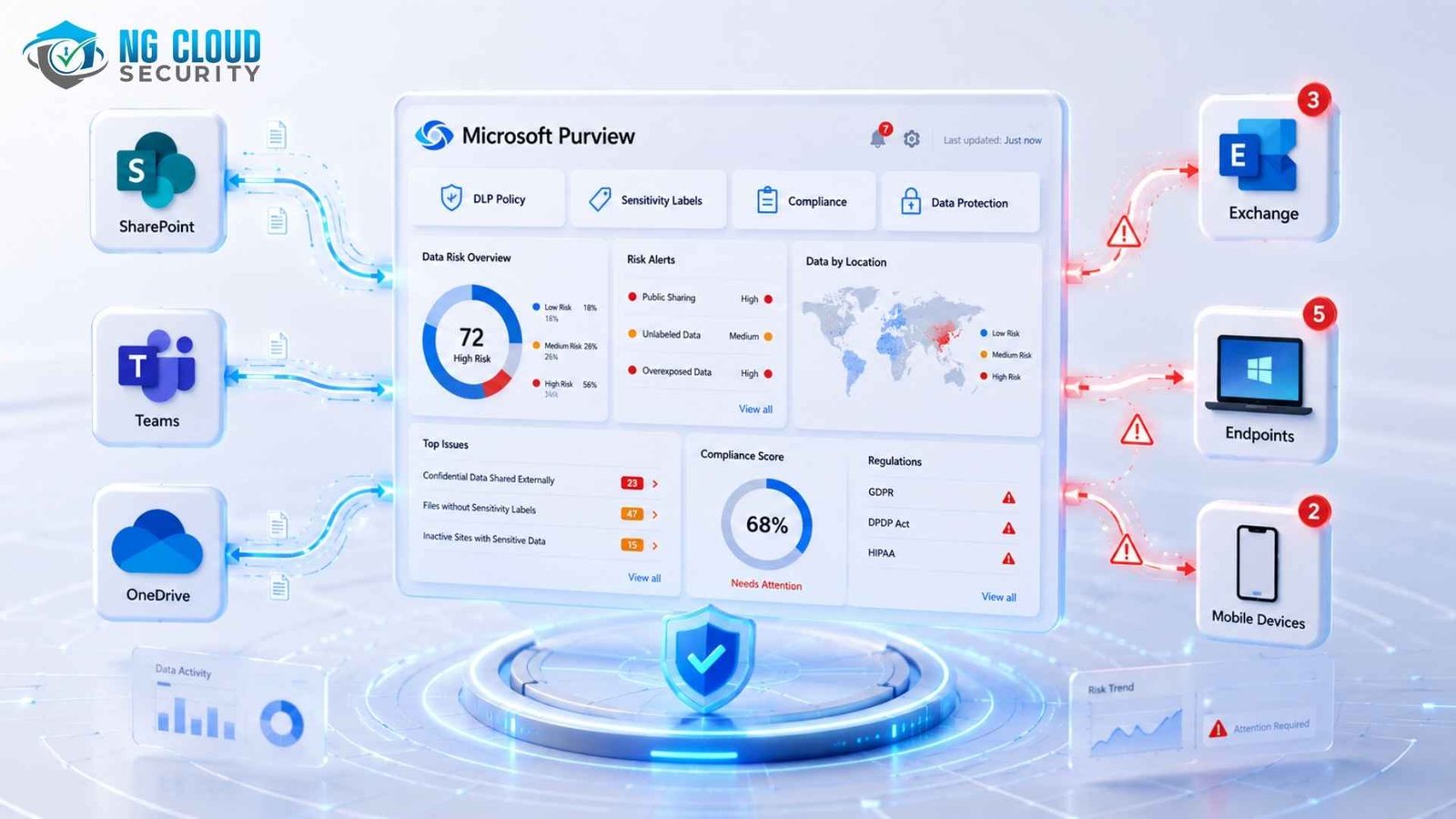
Common Microsoft Purview Deployment Mistakes and How to Avoid Them
Microsoft Purview is one of the most powerful data compliance and governance platforms available for Microsoft 365 environments — yet a significant number of enterprise deployments fail to deliver their intended outcomes. Dashboards fill up with alerts that no one acts on. DLP policies stay in simulation mode for months. Sensitive data continues to leave the organisation. In most cases, the technology is not at fault. The problem is how the deployment started.
This guide covers thirteen common Microsoft Purview deployment mistakes observed across enterprise and mid-market organisations in India, the United States, the United Kingdom, and the Asia-Pacific region. Each mistake includes a clear explanation of why it happens, the real-world consequences, and specific steps to fix it.
Whether you are a Microsoft 365 administrator, a compliance officer, or a security architect, understanding these pitfalls will save you months of rework and protect your organization from data breaches that could have been prevented.
What Is Microsoft Purview, and Why Do Deployments Fail?
Microsoft Purview is Microsoft’s unified data security, compliance, and governance platform, integrated into Microsoft 365. It brings together sensitivity labelling, Data Loss Prevention (DLP), Insider Risk Management (IRM), Communication Compliance, eDiscovery, and the Data Security Posture Management (DSPM) dashboard into a single compliance portal.
For organisations in India operating under IT Act 2000 and DPDP Act 2023 requirements, or enterprises in the UK, US, EU, and APAC managing GDPR, HIPAA, PCI-DSS, or ISO 27001 compliance obligations, Microsoft Purview provides a consolidated control plane for data governance.
The reason deployments fail, according to practitioners and Microsoft’s own guidance, is almost never technical. It is organisational. Too many teams deploy Purview as a technical feature rollout rather than as a structured governance program.
Mistake 1: Treating Microsoft Purview as a Purely Technical Project
The single most common root cause of failed Purview deployments is launching the program without involving business stakeholders. IT teams configure sensitivity labels, DLP policies, and Insider Risk Management settings in isolation — without input from Legal, HR, Finance, or the business units whose data is being classified and protected.
The result is a label taxonomy built around IT jargon instead of business risk. DLP policies block workflows that the business depends on. User adoption collapses because the system feels imposed rather than designed for real work.
Microsoft’s own guidance and real-world deployment studies confirm this pattern: organisations that treat Purview as a governance program — with cross-functional ownership and executive sponsorship — consistently outperform those that treat it as a technical configuration task.
How to fix it
- Form a cross-functional data governance committee before opening the Purview compliance portal. Include Legal, HR, Finance, and at least one senior business unit representative.
- Run a business risk workshop: ask “What data, if leaked, would cause the most financial, legal, or reputational damage?” Let the answers drive your label taxonomy.
- Define executive sponsorship and a named program owner. Purview is not an IT project — it is a data governance initiative that requires business accountability
- Present Purview to end users as a tool that protects them and the organization, not as a surveillance or compliance enforcement mechanism.
Mistake 2: Skipping the Data Discovery Phase
Many organisations jump straight to creating DLP policies and sensitivity labels without first understanding where their sensitive data actually lives. This is like trying to organise a warehouse in complete darkness. Without a data inventory, policies will miss entire estates — unmanaged SharePoint sites, personal OneDrive folders, shared drives with years of ungoverned content, and legacy file repositories.
In Microsoft 365 environments, this problem is amplified by decades of organic growth in SharePoint and Teams. Content is overshared, mislabelled, or simply unknown to the compliance team.
| Why This Matters for AI ReadinessIf you are planning to deploy Microsoft 365 Copilot, ungoverned content is a critical risk. Copilot respects existing permissions — but if files are over-permissioned or shared without expiry, Copilot can surface sensitive information to users who should not have access to it. Fixing this before Copilot goes live is non-negotiable. |
How to fix it
- Dedicate the first 30 days of any Purview deployment to discovery and inventory — not policy creation.
- Use the Microsoft Purview Information Protection scanner in discovery mode to identify sensitive data across on-premises and cloud storage. Output is stored in .csv format for analysis.
- Run DSPM data risk assessments to surface oversharing risks across SharePoint and OneDrive. A default assessment runs weekly on the top 100 sites by usage
- Map your Redundant, Obsolete, and Trivial (ROT) data. Cleaning up ROT before labelling reduces the scope of your labelling project significantly.
- Baseline guest access settings, external sharing configurations, and link expiry policies before applying any labels or DLP rules
Mistake 3: Over-Engineering Sensitivity Labels from Day One
Sensitivity labels are the foundation of Microsoft Purview’s information protection strategy — but they only work when users actually apply them correctly. A common mistake is launching with an overly complex label hierarchy: 15 or more labels, nested sub-labels, and names that read like legal clauses rather than everyday language.
When users are presented with options like “Semi-Restricted Internal Use Only — External Sharing Permitted with Written Approval,” they do one of three things: they ignore the label entirely, they apply the default label to everything, or they apply the lowest-restriction label to avoid disrupting their workflow. None of these outcomes serve the organisation.
A related mistake is creating labels with no enforcement. A “Highly Confidential” label that does not trigge
How to fix it
- Start with four or five labels maximum in your initial rollout. Use plain, business-friendly names: Public, Internal, Confidential, Highly Confidential
- Every label must map to at least one concrete enforcement action — encryption, DLP policy trigger, watermark, or access restriction. If a label has no enforcement, remove it.
- Pilot your label structure with a small group of business users before organization-wide rollout. Their feedback will reveal usability problems before they become adoption problems
- Decide your external collaboration strategy before deploying labels. A default “Internal” label applied to Teams meetings or SharePoint sites will break guest access if misconfigured
- Expand your label taxonomy only after the initial rollout has stabilized — typically after 60 to 90 days of active use.
Mistake 4: Deploying DLP Across Only One Enforcement Engine
This is one of the most technically consequential mistakes in Microsoft Purview deployments — and one of the most common. Microsoft Purview DLP is not a single system. It is four separate enforcement engines, each with its own policy scope, detection capabilities, and limitations:
- Exchange DLP — covers email in Outlook and Exchange Online
- SharePoint and OneDrive DLP — covers files at rest in Microsoft 365 cloud storage
- Teams DLP — covers chat messages and channel posts
- Endpoint DLP — covers files on managed Windows and macOS devices
Most IT teams configure Exchange DLP and consider the job done. The policy looks complete in the Purview compliance portal — but it does nothing for Teams chats, SharePoint bulk uploads, or an employee copying sensitive files to a USB drive on an endpoint device. Sensitive data leaks through the unconfigured channels.
Additionally, since 2025, Microsoft Purview includes a Microsoft 365 Copilot DLP location — a fifth enforcement point that organisations deploying AI tools must explicitly configure if they want to prevent sensitive labeled content from being used in Copilot responses.
How to fix it
- Audit every DLP policy in your tenant and confirm it is scoped to all relevant workloads: Exchange, SharePoint, OneDrive, Teams, Endpoint, and Copilot.
- Configure your Endpoint DLP advanced settings before creating device-scoped policies. Advanced classification scanning and browser-upload monitoring must be enabled separately
- For EDM (Exact Data Match) classifiers: these work reliably with .docx and .xlsx files but have recognised limitations with .csv and .txt formats. Use regex-based Sensitive Information Types for those file formats.
- Check your sensitive service domain lists. Sites not explicitly listed default to Allow, even if your policy action is set to Block. Create a catch-all rule for unlisted domains.
- Avoid creating two DLP rules that detect identical Sensitive Information Types at the same instance count — this causes policy configuration errors and duplicate alerts
Mistake 5: Never Graduating from Simulation (Audit) Mode
Audit mode is Microsoft Purview DLP’s safety net for new policy deployments. In audit mode, the policy logs all matches and generates alerts — but takes no action. No messages are blocked, no policy tips are shown to users, no emails are quarantined. It is the recommended starting point for every new policy.
The problem is that for many organisations, audit mode becomes a permanent state. Alerts accumulate in a compliance mailbox that no one reviews. IT teams are reluctant to move to enforcement because a previous attempt to enforce a policy disrupted user workflows and generated angry helpdesk tickets. Months pass. The policy remains in simulation. On paper, Microsoft Purview is deployed — in practice, no data is being protected.
| The Real Cost of Audit Mode InertiaEvery day a DLP policy spends in simulation mode is a day sensitive data can leave your organisation without triggering any protective action. Audit mode is a diagnostic tool, not a compliance control. If your policies have been in audit mode for more than two weeks without active review and tuning, you have a governance gap, not a deployment. |
How to fix it
- Set a maximum two-week window for audit mode on each new DLP policy. Use that window actively — review match volumes daily, not once at the end of the two weeks.
- Establish a false positive triage process before enabling any policy in enforce mode. Identify who reviews false positives, how users escalate, and how quickly overrides are processed
- Use policy tips (user notifications) as an intermediate step between audit and enforcement. Users see a warning but can still send — this surfaces false positives without hard blocks.
- Document the business justification for moving each policy to enforce mode. This creates accountability and makes it easier to defend enforcement decisions to business stakeholders
Mistake 6: Enabling Insider Risk Management Without the Required Prerequisites
Microsoft Purview Insider Risk Management (IRM) is designed to detect patterns of potentially risky behaviour over time — data exfiltration by departing employees, unusual download volumes, communication policy violations. It is a sophisticated tool that correlates signals from multiple Microsoft 365 services to identify risk indicators.
The mistake organisations make is enabling IRM before the prerequisites are in place. The most common scenario: IRM is switched on, the Data Leaks policy template is activated, and the compliance team is immediately flooded with low-quality alerts that have no context, no supporting evidence from sensitivity labels or DLP, and no clear ownership pathway for investigation.
A structural problem compounds this: in most organisations, Insider Risk Management sits with the compliance team, but alert response and investigation falls to the security team. These two functions often operate in completely separate silos — different tools, different leadership, different priorities. Without a shared workflow, alerts are generated but never acted on.
How to fix it
- Before enabling IRM’s Data Leaks template, configure at least one DLP policy that generates High Severity alerts. IRM uses DLP signals as input — without them, the Data Leaks template produces low-quality detections.
Deploy sensitivity labels and enable their integration with IRM before activating risk policies. Labelled content provides the context that makes IRM alerts actionable - Align your compliance and security teams on a shared alert response workflow before IRM goes live. Define who owns each stage: detection, triage, investigation, and case management
- For organisations with privacy requirements — particularly relevant under DPDP Act 2023 in India or GDPR in Europe — create separate IRM policies per user population rather than a single global policy.
- Remember that IRM detects behavioural patterns over time, not real-time events. It is a complementary tool to DLP, not a replacement. Communicate this to executives clearly to set appropriate expectations.
Mistake 7: Rolling Out Microsoft 365 Copilot Before Fixing Oversharing
The rapid adoption of Microsoft 365 Copilot across enterprise organisations in 2024 and 2025 has exposed a latent data governance problem that many organisations did not know they had: systematic oversharing of sensitive content in SharePoint and OneDrive.
Copilot respects existing Microsoft 365 permissions — it will only surface content that the user already has access to. But in organisations with years of unmanaged SharePoint growth, “access” is often far broader than intended. Files shared with “Everyone,” team sites with no expiry on external links, and content that was meant to be temporary but has persisted for years — all of this becomes immediately accessible to Copilot, and through Copilot, to any user who asks the right question.
In short: Copilot does not create new data access risks — it makes existing access risks much faster and easier to exploit. An oversharing problem that might take a malicious insider hours to exploit manually can be exploited in seconds through Copilot.
How to fix it
- Run Microsoft Purview DSPM data risk assessments before enabling Copilot for any user population. The default assessment scans the top 100 SharePoint sites weekly.
- Review and remediate the top oversharing risks identified by DSPM before Copilot goes live. Prioritise sites with “Everyone” or “All Users” sharing permissions
- Apply sensitivity labels to all content categories that Copilot will reference. Unlabelled content has no enforcement context — Copilot cannot protect what it cannot classify
- Create a Copilot-specific DLP policy using the Microsoft 365 Copilot policy location with a Sensitivity Labels condition. Labeled content can be blocked from being used in Copilot responses even if it still appears in citations
- Enable SharePoint Advanced Management features for link expiry, site access reviews, and restricted access control before Copilot deployment.
Mistake 8: Treating Microsoft Purview as a One-Time Configuration
The final — and perhaps most underestimated — mistake is treating a Microsoft Purview deployment as a project with a finish line rather than an ongoing governance program. Labels are created, DLP policies are configured, and then the compliance team moves on to the next initiative. The Purview portal is revisited only when something breaks or an auditor asks for evidence.
Over time, the deployment drifts out of alignment with business reality. New applications are adopted that are not covered by existing DLP policies. Regulatory requirements change. Employees find workarounds for policy tips that have lost their credibility through over-triggering. Sensitive Information Types that were accurate when configured now generate constant false positives because business processes have evolved.
Microsoft Purview is a living governance program. It requires a regular review cadence, a named program owner, and a mechanism for business stakeholders to surface gaps and request updates.
How to fix it
- Establish a quarterly Purview governance review. Agenda items: label usage analytics, DLP match trend review, false positive rate assessment, policy retirement of outdated rules, and regulatory change impact.
- Assign a named Purview Program Owner — a role distinct from the portal administrator. This person is accountable for business alignment, not just technical configuration.
- Use Microsoft’s good/better/best deployment blueprint to assess your current posture against your licensing tier and identify the next improvement milestone
- Keep your organisation’s information security policy and your Purview label taxonomy in sync. If they contradict each other, users will follow the path of least resistance — and it will not be the secure one.
- Monitor Microsoft’s Purview deployment models as they are updated. The engineering team regularly publishes new scenario-based blueprints. Subscribe to the Microsoft Security Community for updates.
Mistake 9: Failing to Educate Users on DLP Policies and Sensitivity Labels
One of the most overlooked mistakes in Microsoft Purview deployments is launching policies without investing in user education. IT and compliance teams spend weeks designing the perfect DLP ruleset and sensitivity label taxonomy — and then deploy it to thousands of employees with nothing more than a brief email announcement or a line in the IT newsletter.
The outcome is predictable. Users encounter policy tips and blocked actions they do not understand. They assume the system is broken, find workarounds, or simply ignore labels entirely. Helpdesk tickets spike. Managers escalate. In some organisations, enforcement is quietly rolled back to restore productivity — and the DLP program never recovers its credibility.
DLP policies are only as effective as the users who operate within them. A technically perfect policy that generates constant confusion is worse than no policy at all — because it creates the false impression of protection while undermining the trust needed for long-term compliance.
| What Effective User Education Looks LikeUser education for Microsoft Purview is not a one-time training session. It is an ongoing communication program that explains why data classification matters, what sensitivity labels mean in plain language, what happens when a DLP policy tip appears and how to respond, and who to contact when a legitimate action is blocked. Short, role-specific training — tailored for Finance, HR, Legal, and general staff separately — consistently outperforms organisation-wide generic sessions. |
How to fix it
- Create role-specific training materials for your top three or four user personas: information workers, Finance/HR staff handling sensitive data, administrators, and managers. Generic training fails all of them.
- Explain sensitivity labels in business language, not IT language. ‘Confidential — Do not share externally’ is clear. ‘Tier 2 Classification Level B with Restricted Access Controls’ is no
- Before enforcing any DLP policy, send users a plain-language communication explaining what the policy does, why it exists, and what to do if they receive a policy tip. Silence breeds confusion and resentment.
- Create a visible, easy-to-find escalation path for users who believe a DLP block is a false positive. If users cannot escalate easily, they will find workarounds instead.
- Run a ‘DLP awareness week’ six months after deployment. Share anonymised statistics on how many sensitive items were protected, reinforcing the value of the program rather than its restrictions.
- Leverage Microsoft’s built-in policy tip customisation to write tip messages in your organisation’s tone and language — not the default Microsoft template text.
Mistake 10: No Regular Review Cadence for DLP Policies
A Microsoft Purview DLP deployment is not a project that ends at go-live. It is a governance program that requires continuous attention. Yet the majority of organisations treat DLP policy review as an exception — something that happens only when an incident occurs, an auditor asks questions, or a user complains loudly enough.
The consequences accumulate silently. Policies that were correctly tuned at launch begin to drift out of alignment as business processes evolve. New file types, new collaboration tools, and new data flows emerge that were never anticipated in the original policy design. Sensitive Information Types that accurately detected financial data in 2024 now produce hundreds of false positives because the organisation’s document templates have changed. DLP coverage gaps appear around newly adopted SaaS tools. And no one notices — until a breach makes the gaps visible.
In highly regulated industries — banking and financial services in India under RBI guidelines, healthcare organisations under HIPAA in the US, or financial institutions under FCA requirements in the UK — an outdated DLP policy is not just a technical problem. It is a compliance liability.
How to fix it
- Schedule a formal DLP policy review every quarter. Review agenda: match volume trends by policy, false positive rate by rule, coverage gaps from new applications or data flows, and policies pending retirement.
- Assign ownership of each DLP policy to a named individual from the relevant business unit — not just the IT or compliance team. Business owners are better positioned to identify when a policy has drifted from business reality.
- Set up automated DLP match trend reports in the Purview compliance portal and distribute them monthly to policy owners. Visibility drives accountability.
- Track your false positive rate per policy. A rate above 20 percent is a signal that the policy needs immediate tuning. A rate that has been rising for two consecutive months is a signal that business processes have changed.
- Review and update your Sensitive Information Types at least twice a year. Document templates, financial report formats, and HR data structures change — your SITs must change with them.
- After any significant organisational change — a merger, acquisition, new product line, or regulatory update — conduct an emergency DLP policy review rather than waiting for the next scheduled cycle.
Mistake 11: Making DLP Policies Unnecessarily Complex
There is a persistent belief among IT and compliance teams that more complex DLP policies are more effective. The reality is the opposite. Overly complex policies — with dozens of nested rules, multiple exception conditions, overlapping Sensitive Information Types, and intricate logic chains — are harder to test, harder to maintain, harder to explain to business stakeholders, and far more likely to produce unexpected behaviour in production.
Complexity also compounds over time. Each new business requirement that is handled by adding another rule to an existing policy rather than creating a clean new policy increases the cognitive load of managing the deployment. After two or three years, organisations find themselves with a collection of DLP policies that nobody fully understands — and nobody wants to touch, because the last time someone tried to modify one, it broke something unexpected.
The Microsoft 365 DLP engine evaluates policies in priority order and stops at the first matching rule. A large number of complex, overlapping rules does not mean better protection — it means unpredictable enforcement and an impossible troubleshooting burden.
| The Simplicity Principle for DLP If you cannot explain what a DLP rule does in two sentences to a non-technical business stakeholder, the rule is too complex. Simplicity is not a compromise — it is a design requirement. Simple policies are tested more thoroughly, maintained more consistently, and trusted more completely by the users and business owners who depend on them. |
How to fix it
- Apply the two-sentence test to every DLP rule before it goes into production: if you cannot describe what it detects and what action it takes in two plain sentences, redesign it.
- Use one DLP policy per business scenario rather than cramming multiple scenarios into a single policy with complex branching logic. Separate policies are independently testable and independently maintainable.
- Remove redundant rules immediately. Two rules detecting the same Sensitive Information Type at the same instance count and confidence level do nothing but generate duplicate alerts and policy errors.
- Resist the temptation to handle every edge case with a new rule. Some edge cases are better managed through user training and a clear escalation process than through policy logic.
- Document every DLP rule in plain language at the time it is created — what it detects, why it exists, what action it takes, and who approved it. This documentation prevents future teams from being afraid to modify or remove outdated rules.
- Conduct an annual DLP policy consolidation exercise. Retire rules that duplicate other rules, rules with zero matches over six months, and rules whose business justification no longer applies
Mistake 12: Inaccurate and Incomplete DLP Policy Testing
Testing is the step most organisations cut short when deploying Microsoft Purview DLP — either because project timelines are tight, because audit mode is mistaken for a testing phase, or because testing is conducted by IT staff with test data that bears no resemblance to real business documents.
The consequences of inadequate testing are severe. Policies that passed testing on carefully crafted sample files fail to detect real sensitive data in production because the actual documents use different formatting, different templates, or different file types. Enforcement actions that seemed straightforward in testing disrupt legitimate business workflows because real-world usage patterns were never modelled. False positive rates in production turn out to be five or ten times higher than test results suggested.
Audit mode is not a substitute for proper pre-deployment testing. Audit mode shows you what a policy matches in your live environment — it does not tell you whether it is missing detections it should be making, or catching content it should be ignoring. Real testing requires both positive and negative test cases, with real document formats and real business data patterns.
How to fix it
- Build a dedicated DLP test environment that mirrors your production Microsoft 365 tenant configuration as closely as possible. Test in this environment before any policy reaches audit mode in production.
- Test with real document formats and realistic data. Use anonymised samples of actual business documents — financial reports, HR letters, contract templates, customer data exports — not synthetic test files created by IT staff.
- Create both positive test cases (documents that should trigger the policy) and negative test cases (documents that should not trigger the policy). A policy that catches everything it should is only half correct if it also catches things it should not.
- Test every enforcement engine separately: Exchange, SharePoint, OneDrive, Teams, and Endpoint. A policy that works correctly in Exchange may behave differently in Teams or on endpoint devices due to engine differences.
- Test user-facing policy tips and notifications explicitly. Verify the message text is clear, the override option works as intended, and the business justification field captures the right information for compliance review.
- Document all test results, including failed tests and the configuration changes made to address them. This test record is essential evidence for compliance audits and internal governance reviews.
- Re-test any DLP policy after a significant change to your Microsoft 365 tenant configuration, a Microsoft service update, or a modification to the policy itself. Testing is not a one-time event.
Mistake 13: Neglecting Endpoint DLP and Microsoft Teams Chat Protection
Exchange email is the channel that most organisations configure DLP for first — it is familiar, well-understood, and the focus of most legacy DLP thinking. But in the modern Microsoft 365 workplace, email is no longer the primary vector for sensitive data loss. Employees share sensitive files through Teams chats, copy data to personal devices, upload documents to browser-based cloud storage, and transfer information via USB drives from managed endpoints. Protecting only email leaves the majority of data movement channels completely unprotected.
Microsoft Teams deserves particular attention. As the primary collaboration and communication platform for most Microsoft 365 organisations, Teams channels and chats carry an enormous volume of sensitive business content — financial figures shared in chat messages, HR discussions in private channels, client data pasted into chat threads, and sensitive files shared as attachments. Without a Teams-scoped DLP policy, none of this content is covered.
Endpoint DLP presents a different but equally significant challenge. Endpoint DLP monitors and controls data activity on managed Windows and macOS devices — including copy-paste operations, file saves to removable storage, print actions, and browser uploads to cloud storage services. Many organisations enable Endpoint DLP in the Purview portal but fail to configure the prerequisite endpoint settings, leaving the engine running with minimal detection capability.
| The Shift in Data Loss VectorsAccording to Microsoft and industry research, the fastest-growing data loss vectors in 2025 are endpoint copy-paste operations (particularly from managed devices to personal cloud storage), Teams chat messages containing sensitive data, and browser-based file uploads to non-corporate services. If your DLP strategy is built around email protection alone, you are protecting yesterday’s risk surface — not today’s. |
How to fix it
- Create a dedicated Teams DLP policy scoped to Teams chat and channel messages. Configure it to detect the same Sensitive Information Types and sensitivity labels that your Exchange policy covers. Teams and Exchange are separate enforcement engines — a policy in one does not apply to the other.
- Enable Endpoint DLP advanced settings before creating endpoint-scoped policies. Key settings include advanced classification scanning, which enables more accurate detection in Office files; browser and app restrictions for controlling uploads to cloud services; and sensitive service domain lists to specify which cloud destinations to monitor
- Onboard all managed Windows 10/11 and macOS devices to Microsoft Purview device management before endpoint DLP policies are enforced. Endpoint DLP cannot protect devices that are not onboarded.
- Configure endpoint DLP to cover the full range of data movement activities: copy to removable storage (USB), copy to network shares, print, clipboard copy, and browser upload. Many organisations configure only file copy restrictions and leave clipboard and print operations uncovered
- Test Teams DLP in a pilot group before tenant-wide enforcement. Teams DLP behaviour for chat messages differs from email — policy tips appear differently, and the timing of detection may vary based on message type.
- For organisations where sensitive business discussions happen in Teams private channels — common in Finance, Legal, and HR — apply tighter DLP policies to those channel types and consider using sensitivity labels on Teams to restrict membership and content access.
- Review your Endpoint DLP audit logs regularly, even if you have not yet moved to enforcement mode. The audit data from endpoint activity reveals data movement patterns that you almost certainly did not know existed — including regular transfers to personal cloud storage that would not be visible in Exchange or SharePoint DLP logs alone.
Microsoft Purview Deployment Success Is a Governance Problem, Not a Technical One
Microsoft Purview provides the technical capability to protect sensitive data, meet compliance obligations, and manage insider risk across Microsoft 365 environments. But capability alone does not equal protection. The organisations that get the most from Purview are those that approach it as a structured, cross-functional governance program — not as a portal to configure and forget.
The thirteen mistakes outlined in this article — from skipping discovery to neglecting endpoint and Teams DLP, from failing to educate users to leaving policies untested and unreviewed — all share a common thread: they are governance failures, not technology failures. The fix in each case requires organisational decisions, stakeholder alignment, and program discipline as much as it requires technical configuration.
If your Microsoft Purview deployment is not delivering the outcomes you expected, start by asking whether the problem is in the portal — or in how the program was designed. In most cases, the technology is ready. The governance structure is not.
Frequently Asked Questions about Microsoft Purview Deployment
What is the most common reason Microsoft Purview deployments fail?
The most common reason is treating Purview as a purely technical IT project rather than a cross-functional data governance program. Without business stakeholder involvement, sensitivity labels and DLP policies are designed around IT assumptions rather than real business data risk — leading to policies that disrupt legitimate workflows and are quickly abandoned or ignored.
How long should DLP policies stay in audit mode before enforcement?
No longer than two weeks. Audit mode should be used as a diagnostic tool with active daily review of match volumes and false positive rates. Policies left in audit mode for months or indefinitely provide no data protection — they only generate unreviewed logs.
Do organisations in India need Microsoft Purview for DPDP Act 2023 compliance?
Microsoft Purview is a highly relevant tool for organisations subject to India’s Digital Personal Data Protection (DPDP) Act 2023. Its data classification, DLP, and audit capabilities directly support the Act’s requirements for processing lawfulness, data minimisation, and breach notification readiness. However, Purview must be configured for your specific data estate — a default or template-based deployment will not meet compliance requirements without customisation.
Can Microsoft Purview protect data in non-Microsoft applications?
Purview’s native capabilities are strongest within the Microsoft 365 ecosystem. For non-Microsoft SaaS applications, integration typically requires Microsoft Defender for Cloud Apps for app-scoped DLP policies, and third-party data connectors for importing signals into Insider Risk Management. Plan for additional integration work and licensing if your data estate extends significantly beyond Microsoft 365.
What should be done before deploying Microsoft 365 Copilot from a Purview perspective?
Before enabling Copilot, organisations should run DSPM data risk assessments, remediate the top oversharing risks in SharePoint and OneDrive, apply sensitivity labels to content Copilot will reference, and create a Copilot-specific DLP policy using the Microsoft 365 Copilot location. Ungoverned, overshared content in SharePoint becomes an immediate data risk once Copilot can surface it conversationally.
Why is user education important for Microsoft Purview DLP?
DLP policies can only protect data when users understand and cooperate with them. Without education, users encounter policy tips they do not understand, find workarounds, or apply sensitivity labels incorrectly — defeating the purpose of the policy entirely. Role-specific training that explains labels and DLP actions in plain business language, delivered before enforcement begins and reinforced regularly, is one of the highest-return investments in any Purview deployment.
How often should DLP policies be reviewed in Microsoft Purview?
DLP policies should be reviewed formally every quarter. Each review should cover match volume trends, false positive rates, coverage gaps from new tools or data flows, and policies that are candidates for retirement. Sensitive Information Types should be updated at least twice a year to reflect changes in document templates and business data formats. After any major organisational change — merger, acquisition, regulatory update — an emergency review should be triggered rather than waiting for the next scheduled cycle.
Does Microsoft Purview DLP protect Microsoft Teams chats?
Yes, but only if a DLP policy is explicitly scoped to the Teams chat and channel messages location. Teams DLP is a separate enforcement engine from Exchange DLP — an email DLP policy does not cover Teams messages. Without a dedicated Teams-scoped policy, chat messages containing sensitive data, files shared in Teams, and content pasted into chat threads are completely unprotected by DLP. Teams DLP must be configured separately and tested independently from your email DLP policies.
What is Endpoint DLP in Microsoft Purview and why is it important?
Endpoint DLP monitors and controls data activity on managed Windows and macOS devices — including copy-paste operations, saves to USB drives, print actions, and browser uploads to cloud services. It protects against data loss vectors that email and SharePoint DLP cannot see: an employee copying sensitive data to a personal USB drive, printing confidential documents, or uploading files to a personal Dropbox via a browser. Endpoint DLP requires device onboarding and specific advanced setting configuration before it is effective — many organisations enable it without completing these prerequisites, leaving the engine with minimal detection capability.
